
 Portland Follow Us!
 |
 |
|
|
|
|
 |
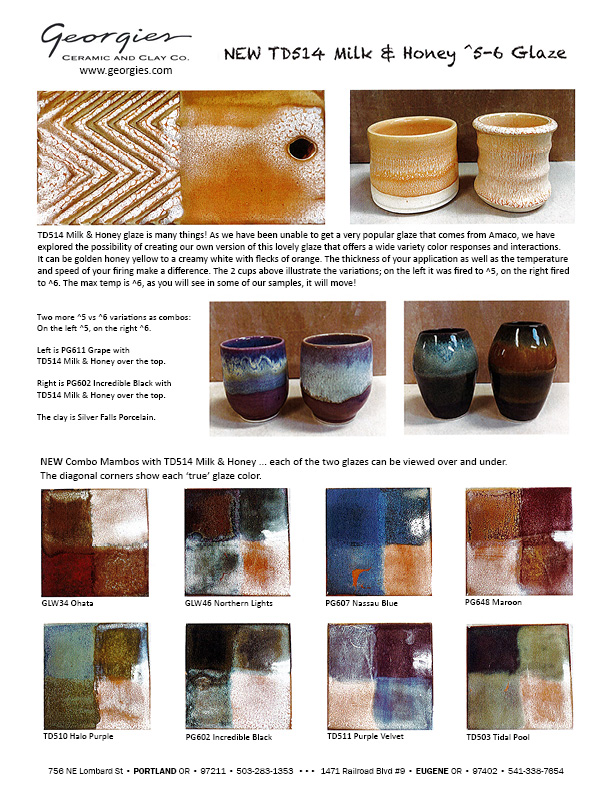
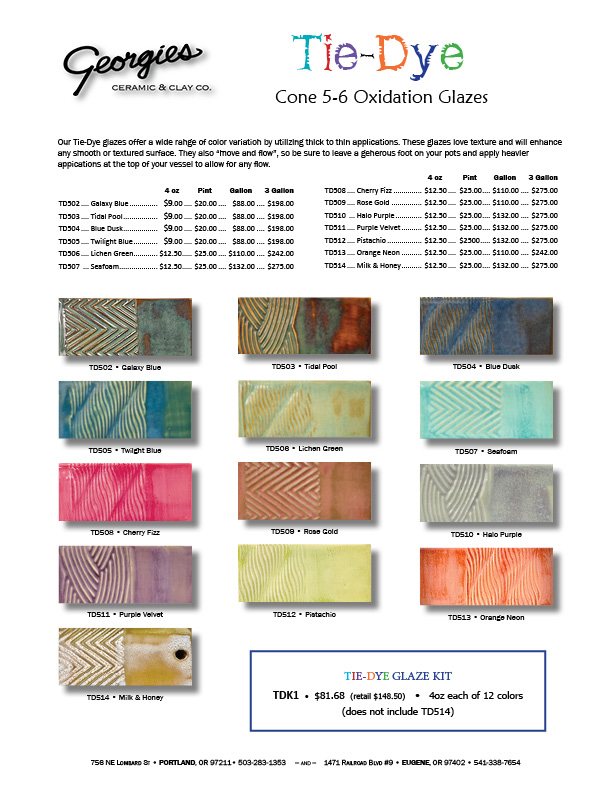
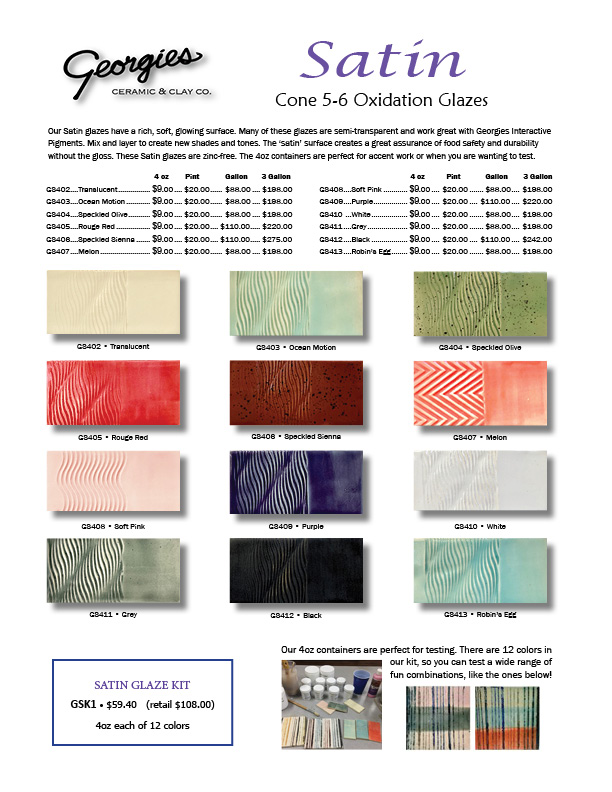
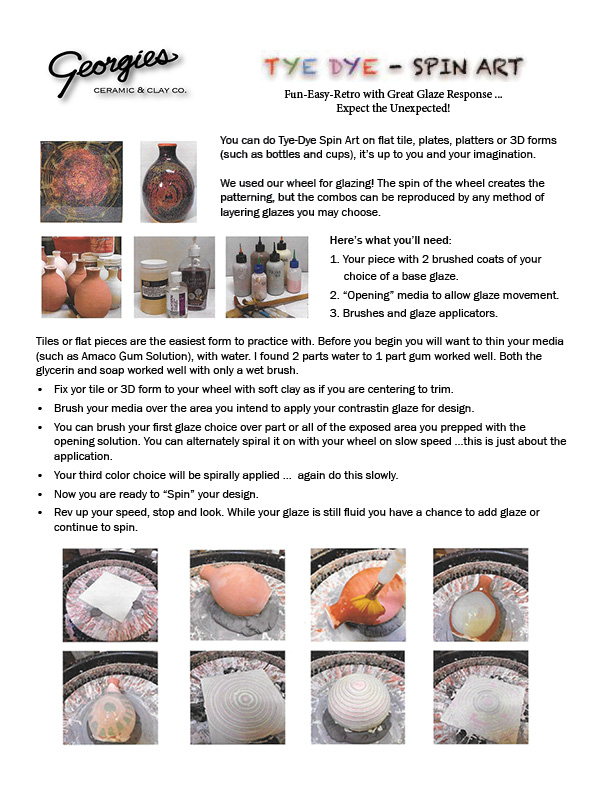
Technique & Information Sheets Georgies Tie Dye, Satin Glazes & Spin Art Flyer
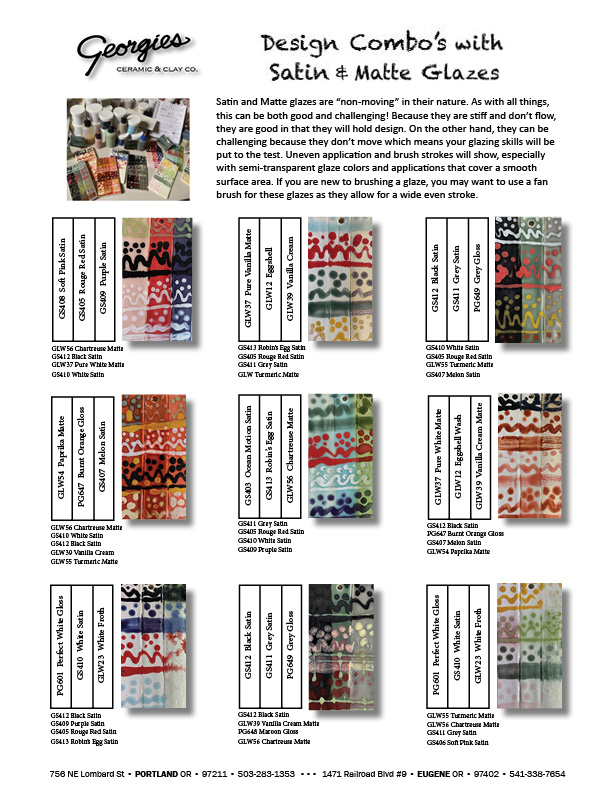
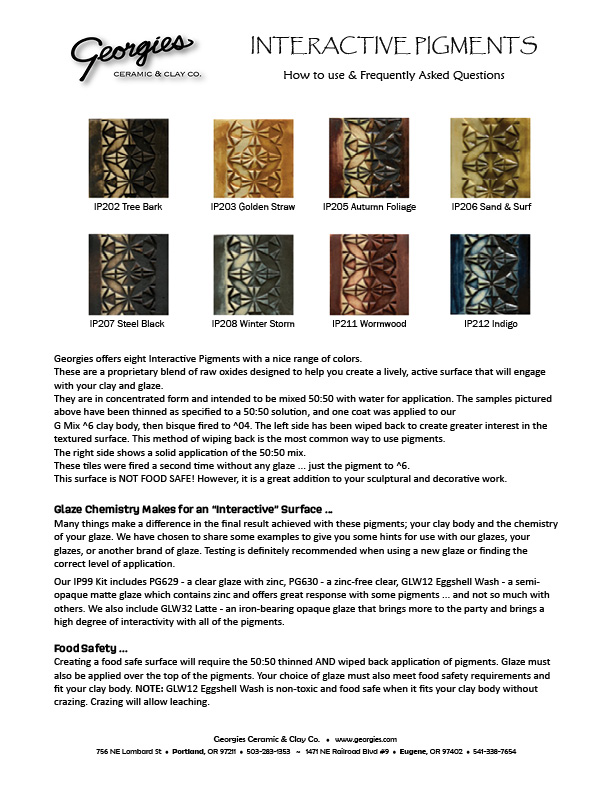
Georgies Glaze Combo's, Mason Stains® & IP FAQ
Georgies White Salmon w/Speckles Info
Here's a list of more Flyers ... Click on any of the titles in this menu to jump directly to the instructions for the project or technique that caught your eye. We will add more project and technique sheets over time, so this list will grow! Click on the technique sheet thumbnail images to open the full-sized sheet in a new window. These technique sheets are PDF files: you will need a PDF reader program (like Adobe Reader or Foxit Reader) on your computer to read, print and save these files. Some of these files may take several minutes to download depending on the speed of your Internet connection.
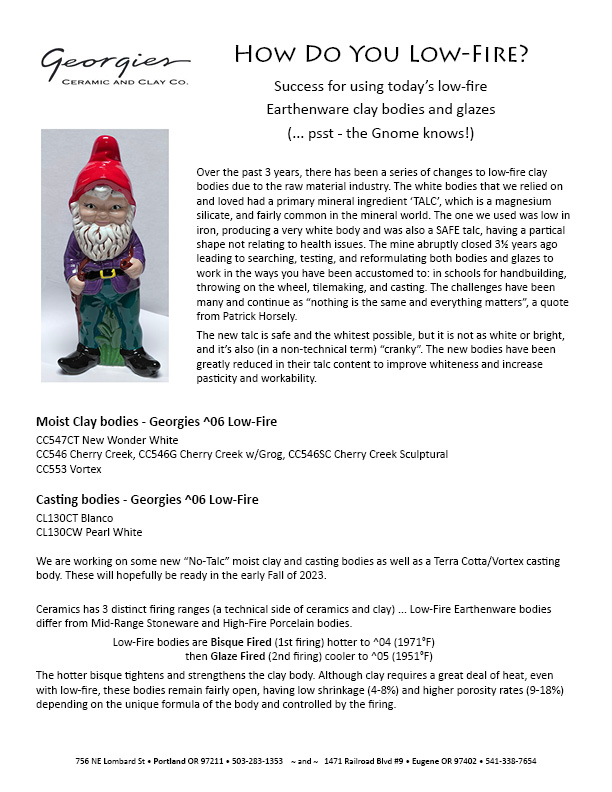
Low-Fire Clay & Casting Bodies
How Did We Do That??
Click for project details about Sharon's firing schedule
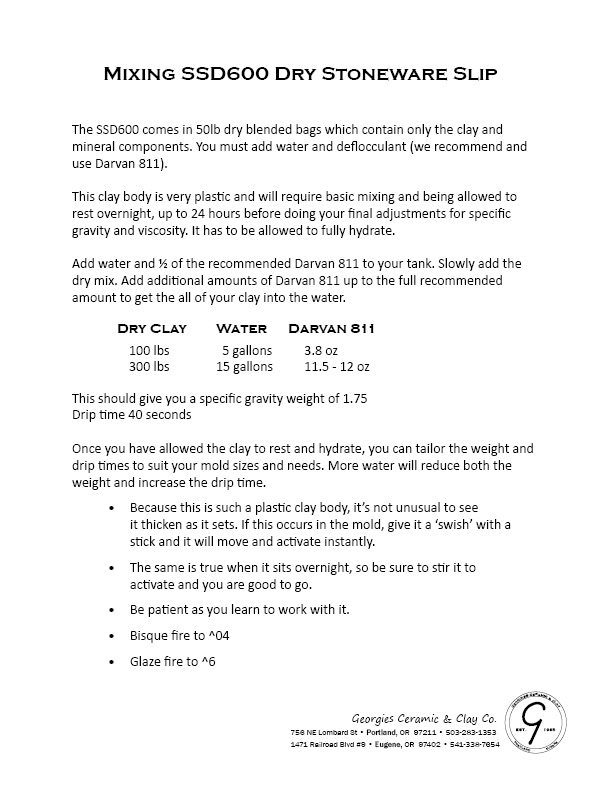
Mixing SSD600 Dry Stoneware Slip
Mixing and Using Georgies Dry Glazes
Mixing and Using Mayco Dry Glazes
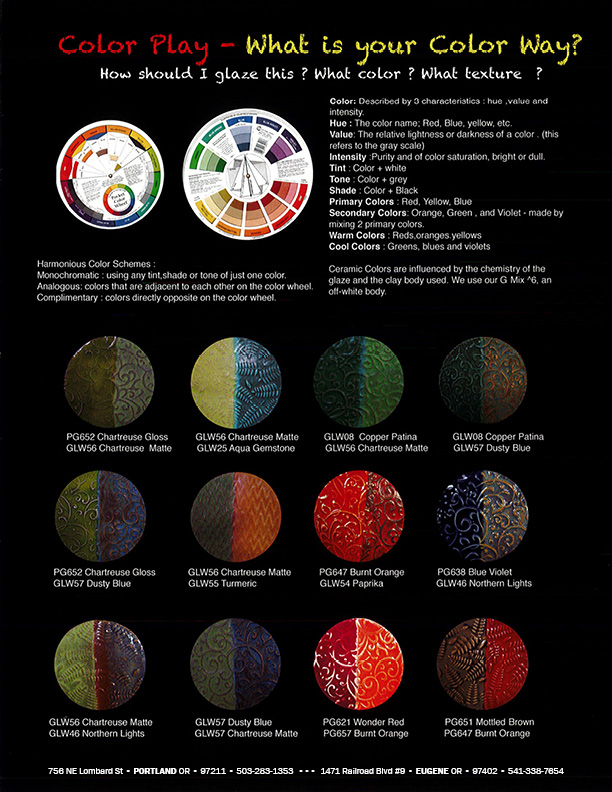
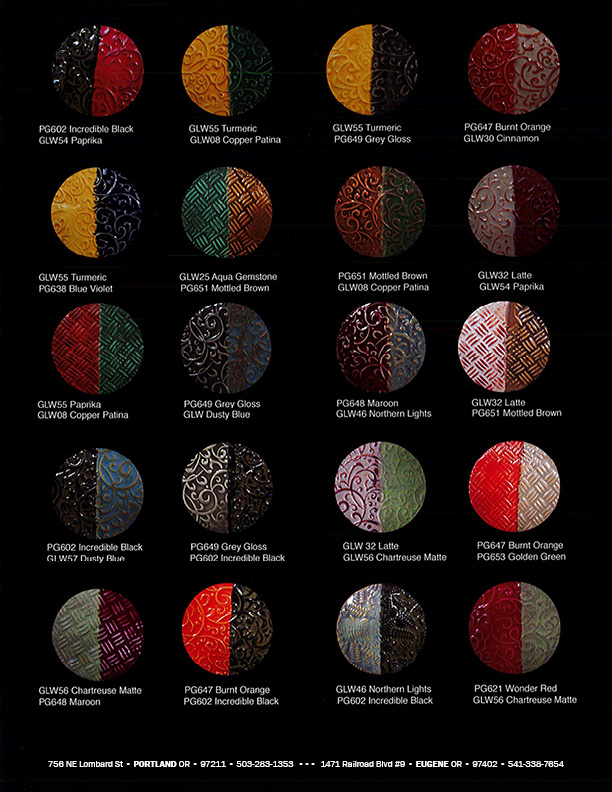
Color is one of the most challenging aspects of all art endeavors for potters and ceramic artists who have spent a great deal of time developing form and surface. The most asked question is "How should I glaze this?" Color blocking, using only unique colors for a design pallet, can take your work in a new direction. We have attemped to help you solve this mystery with our flyer. Our textured tiles lay two or more colors alongside each other, creating harmonious, analogous, complimentary color schemes you might like to try.
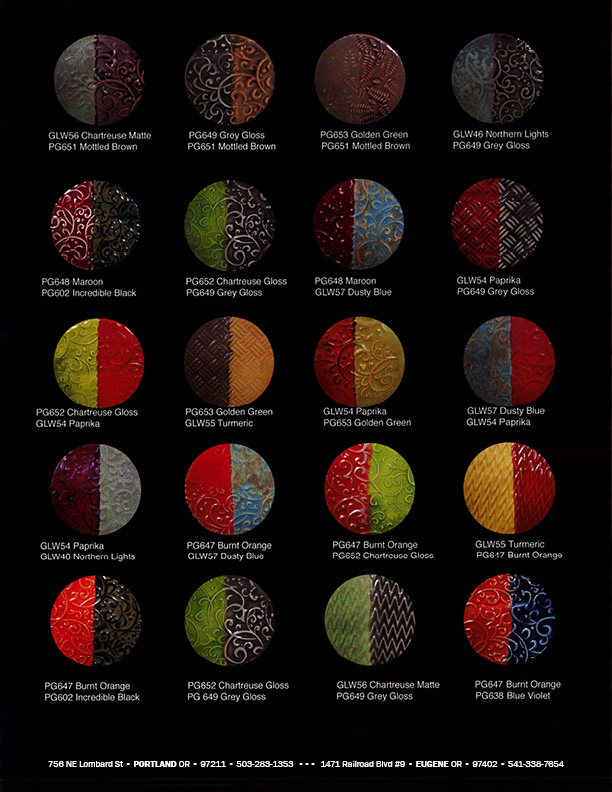
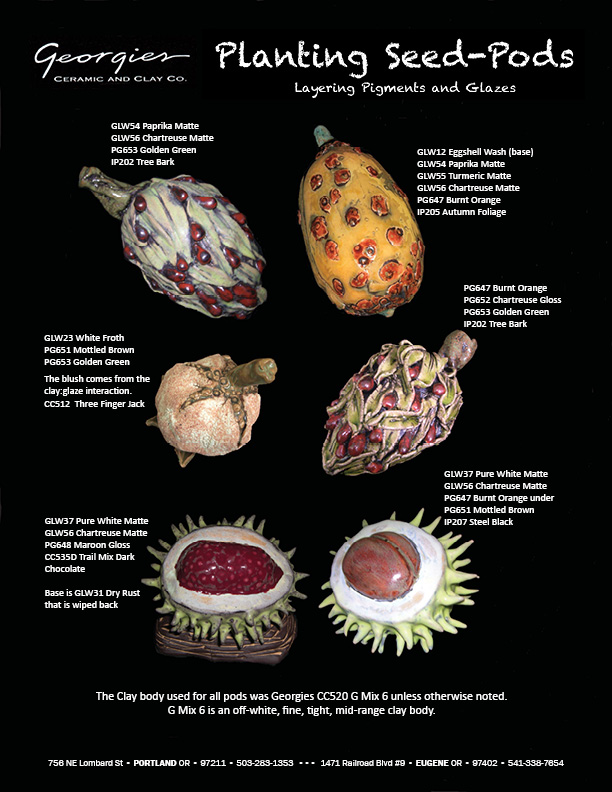
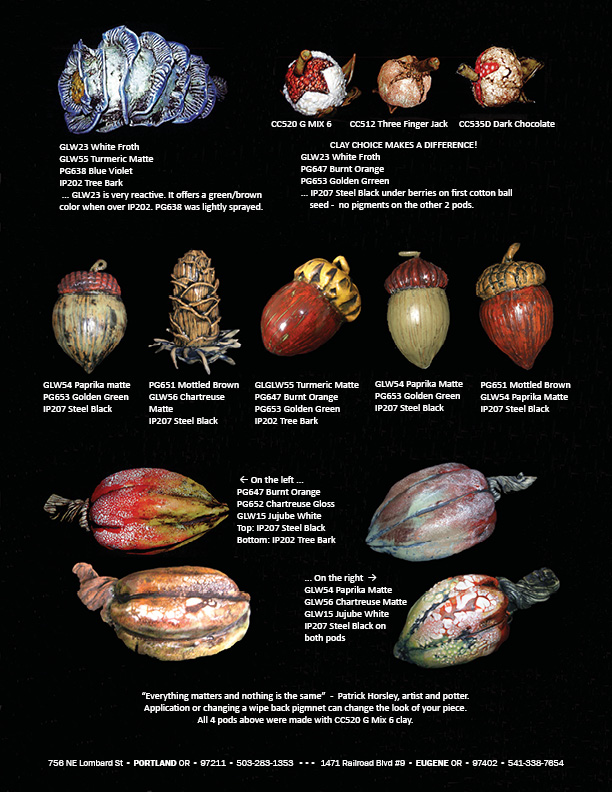
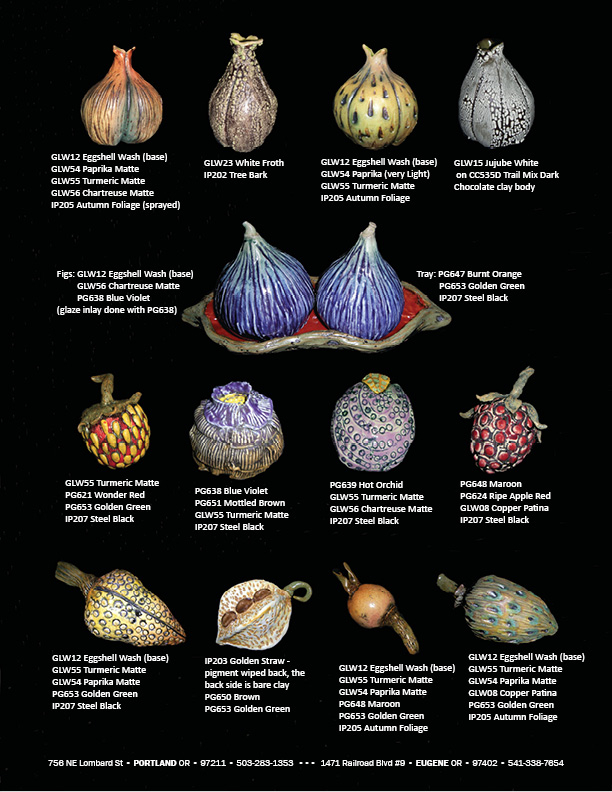
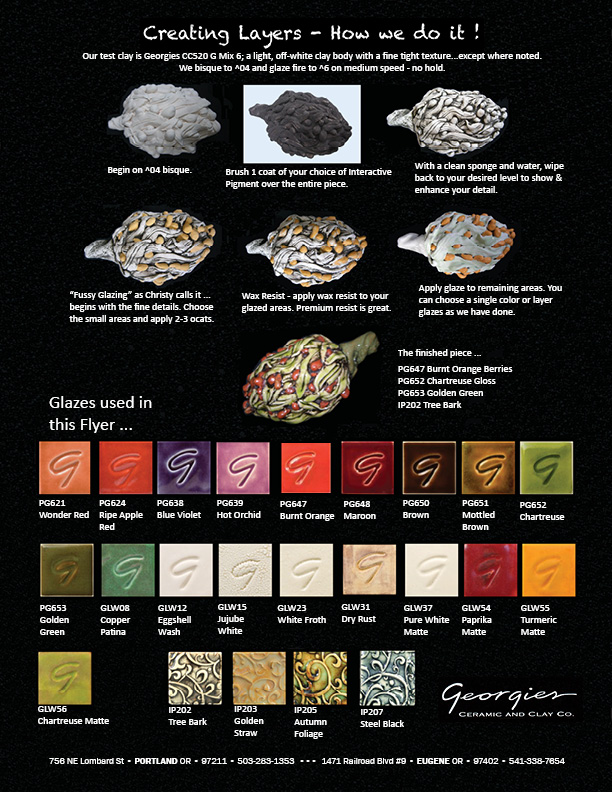
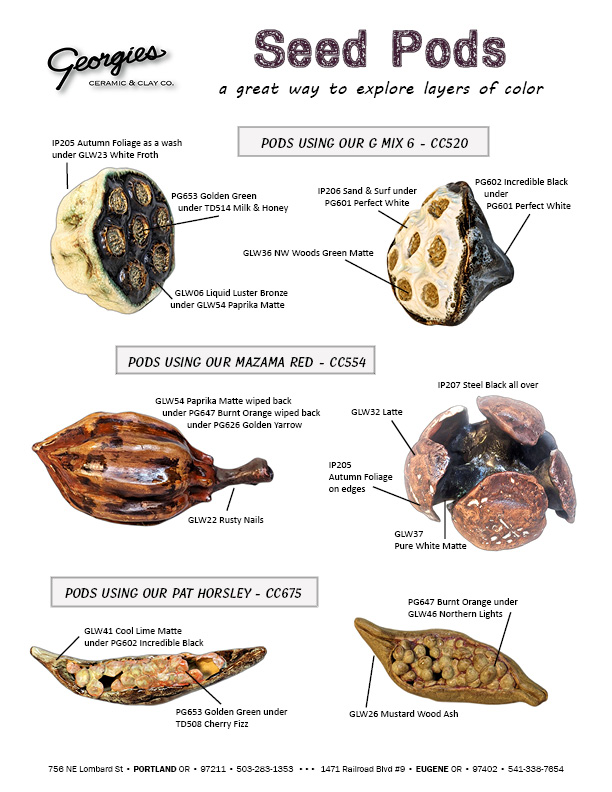
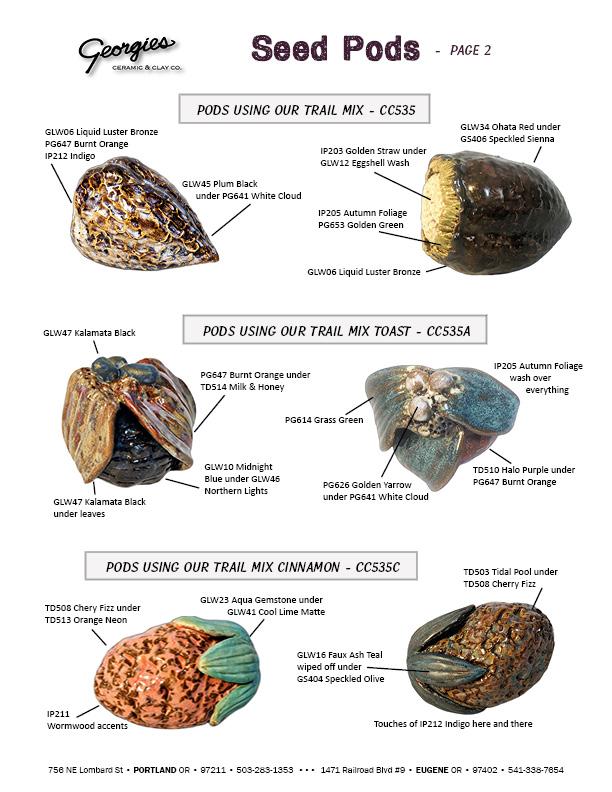
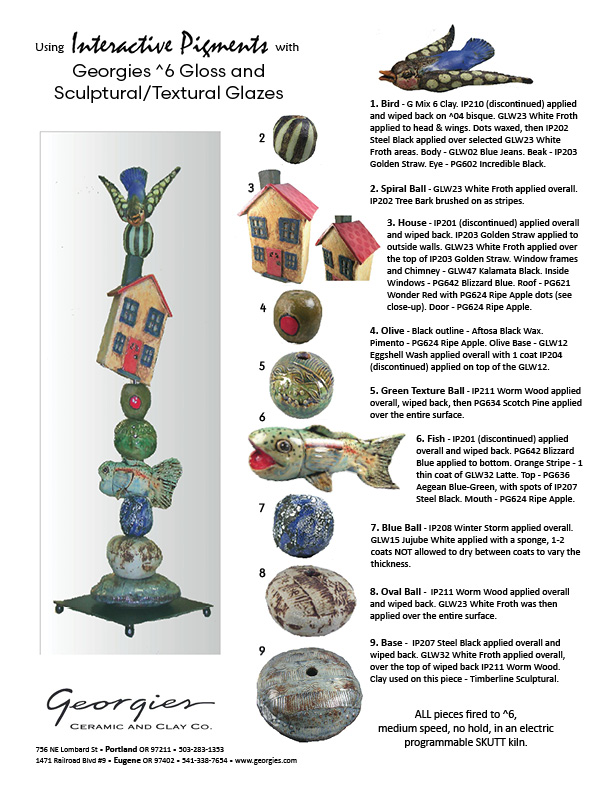
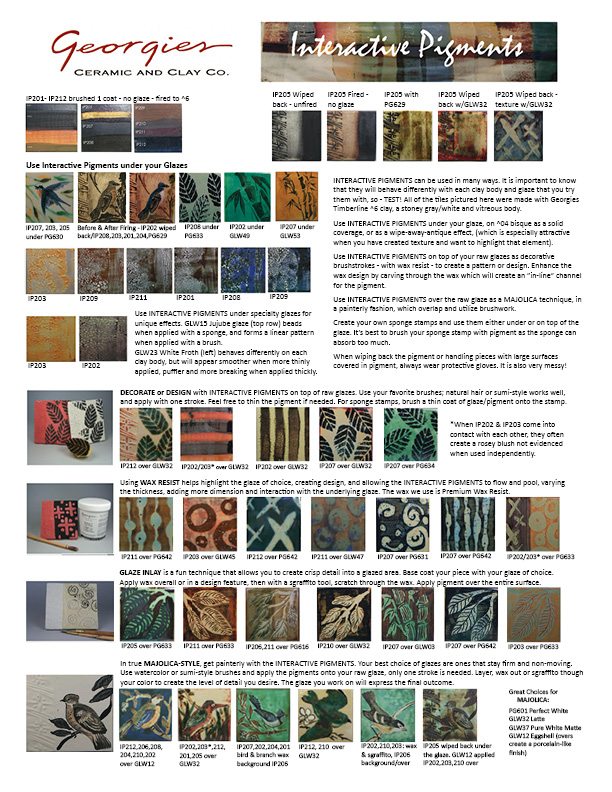
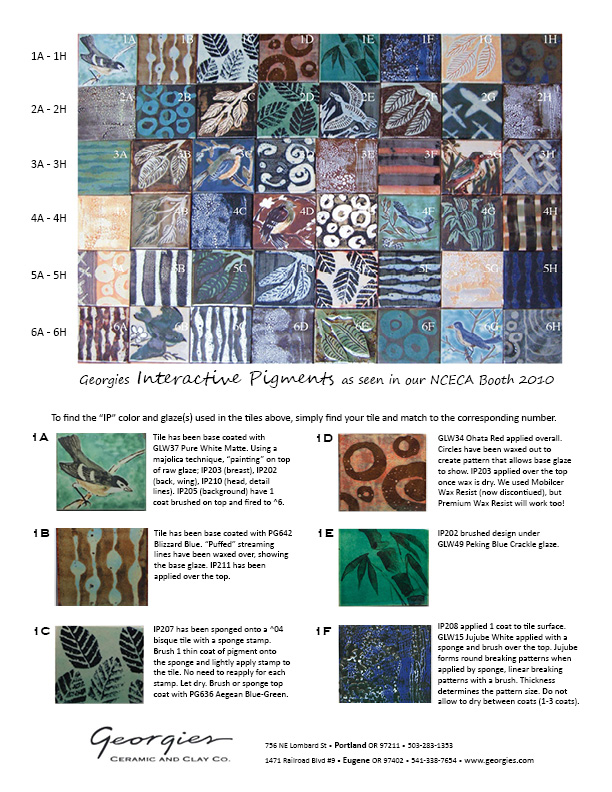
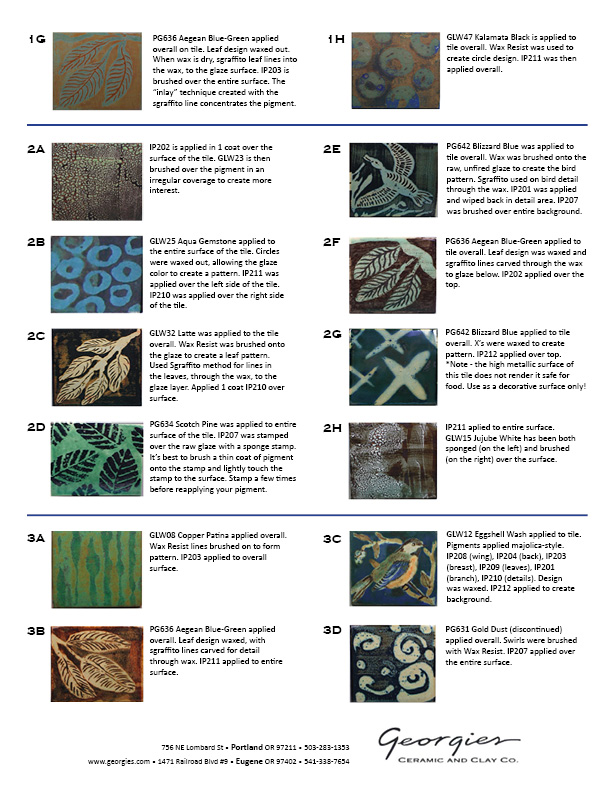
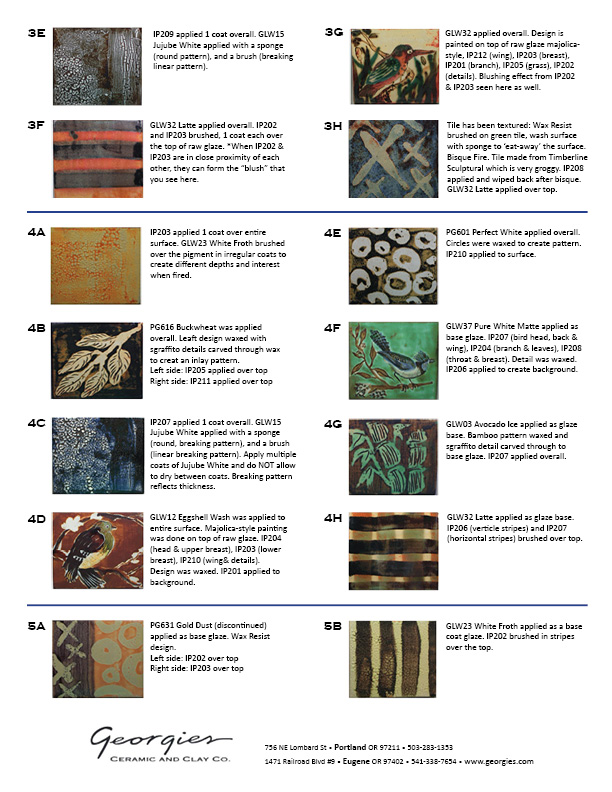
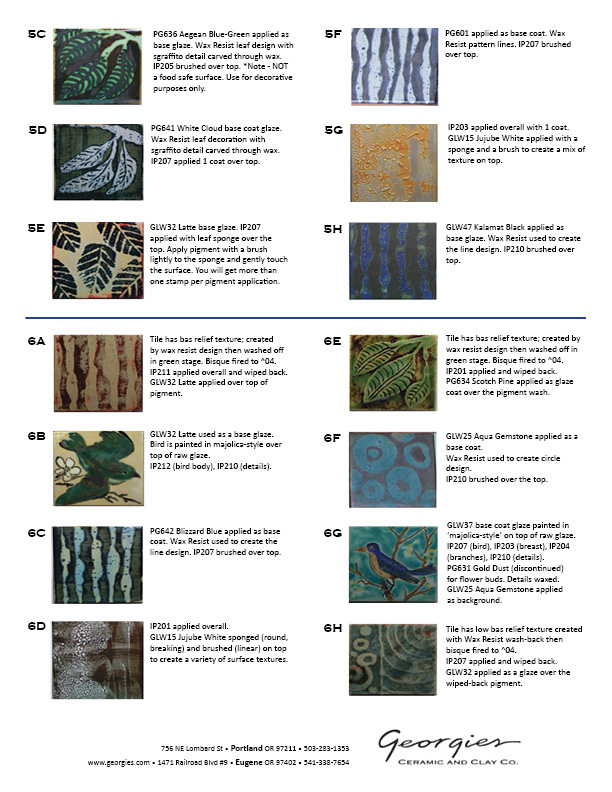
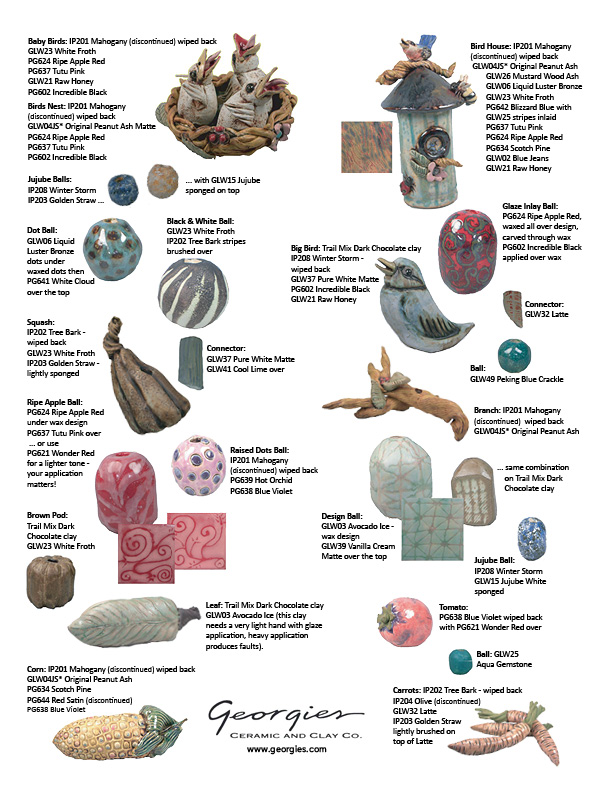
Creating layers and depth with your work is what makes it special and gives it life. Here we have used Georgies CC520 G Mix ^6 clay body which is a nice off-white fine, tight clay body to make sure the colors really pop. The Interactive Pigments have been wiped back to give color in the nooks and crannies and allow the Gloss glazes and Sculptural/Textural glazes to show off their magic. Click on any of the images for a full-sized 4-page PDF.
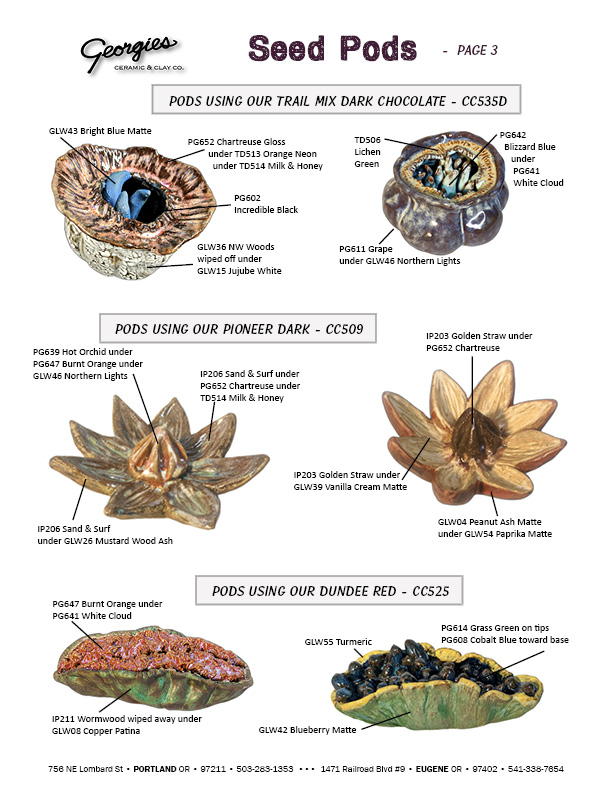
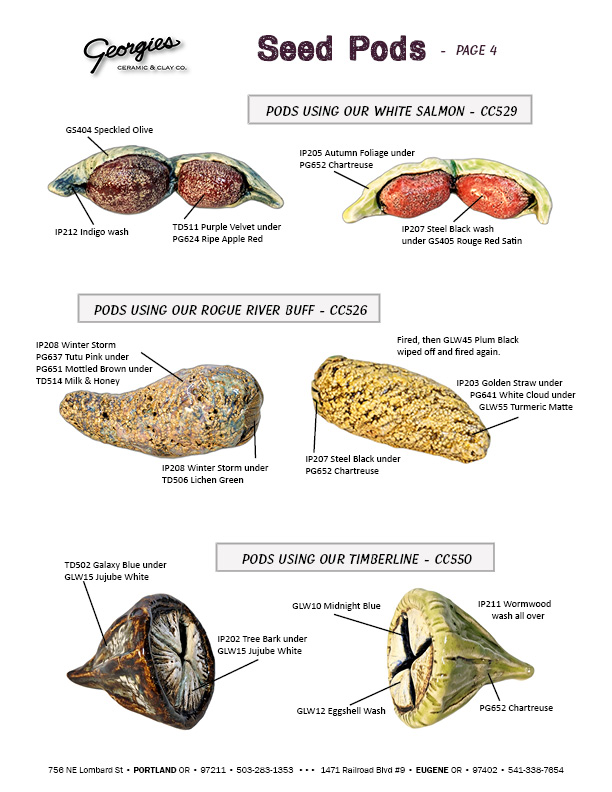
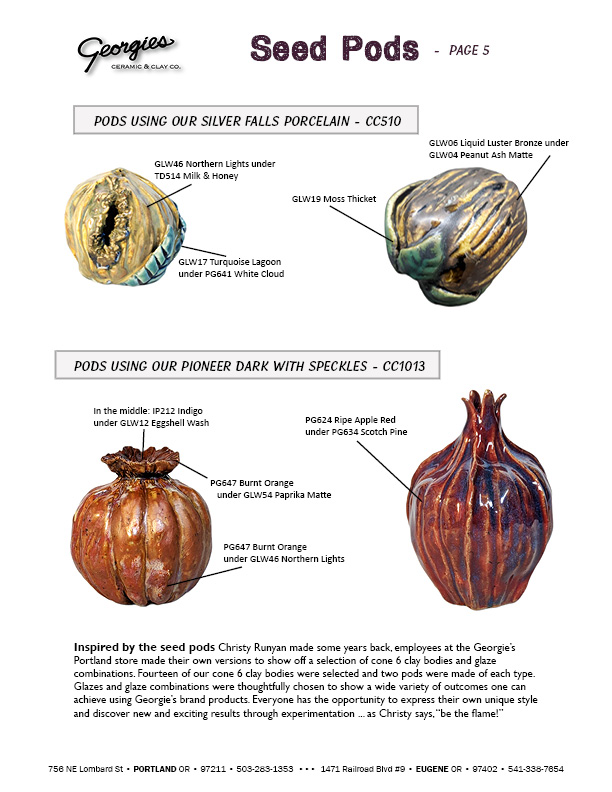
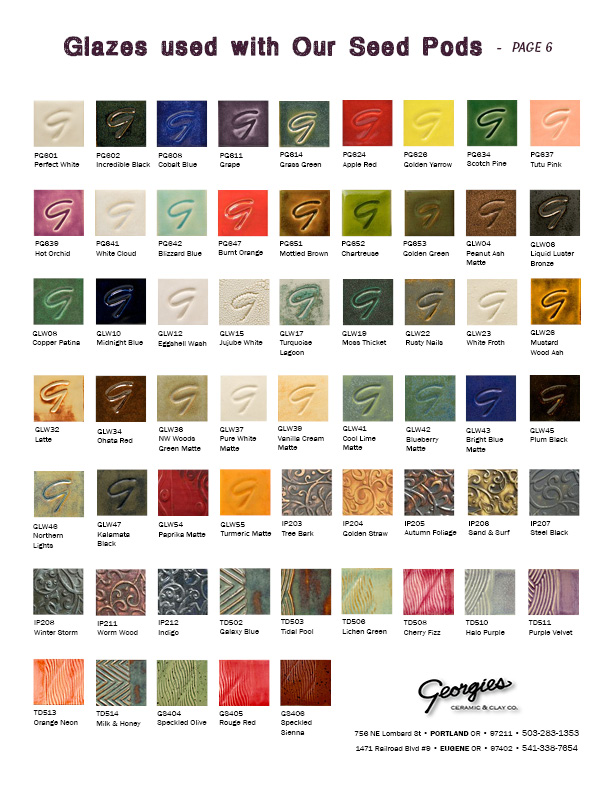
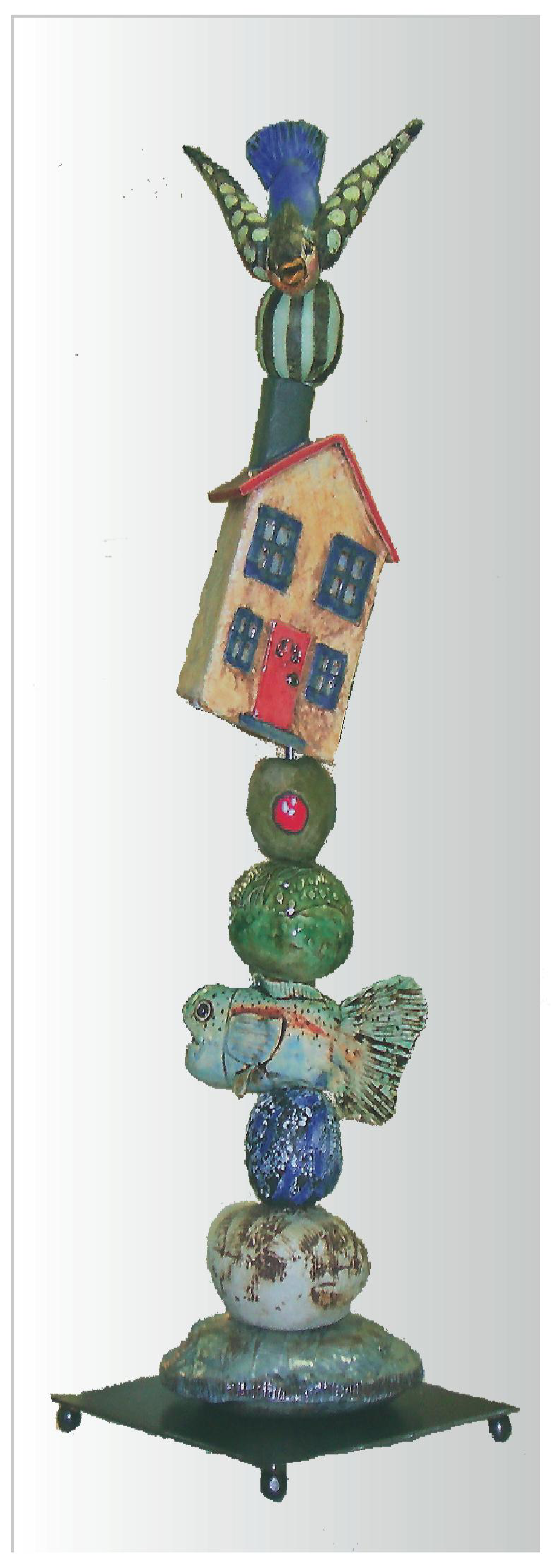
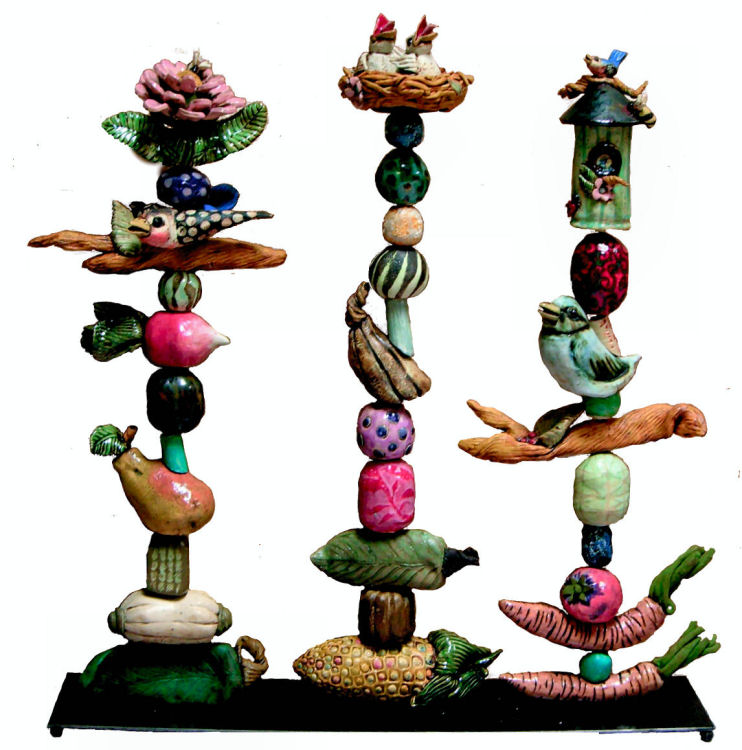
Inspired by the seed pods above, that Christy made some years back, employees at
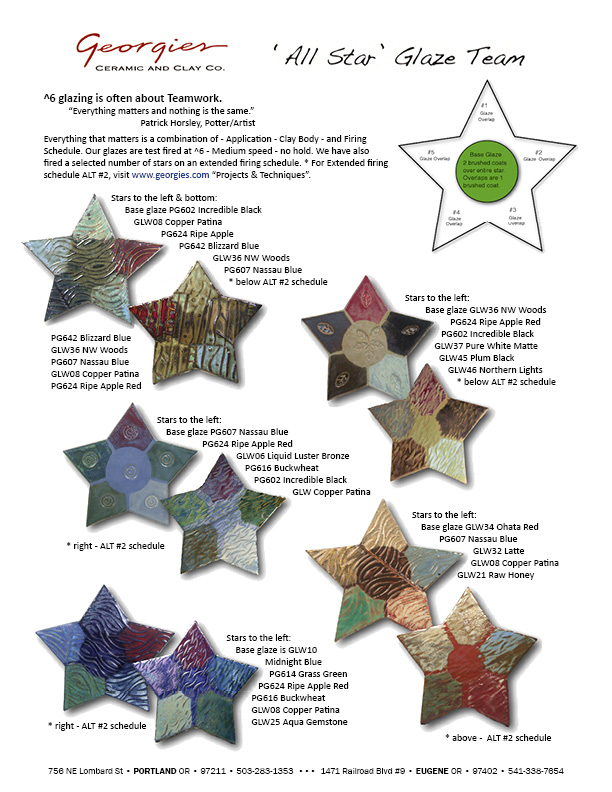
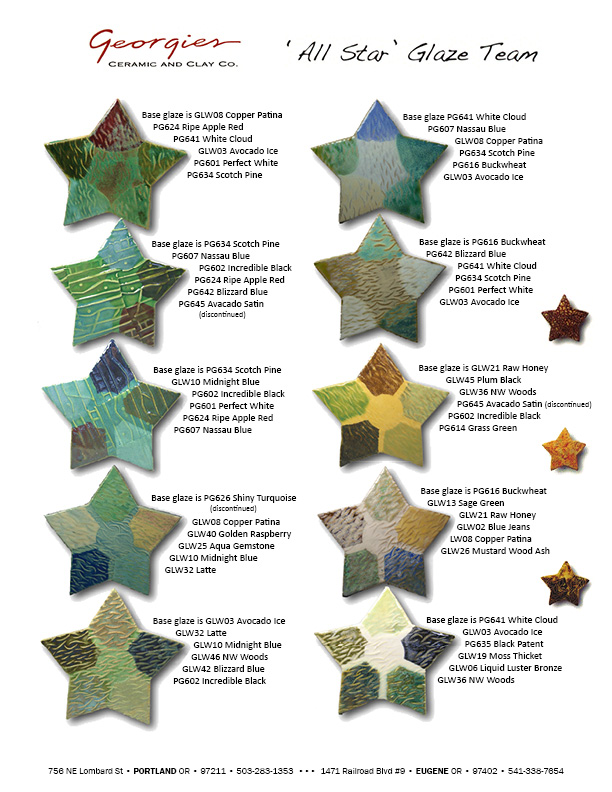
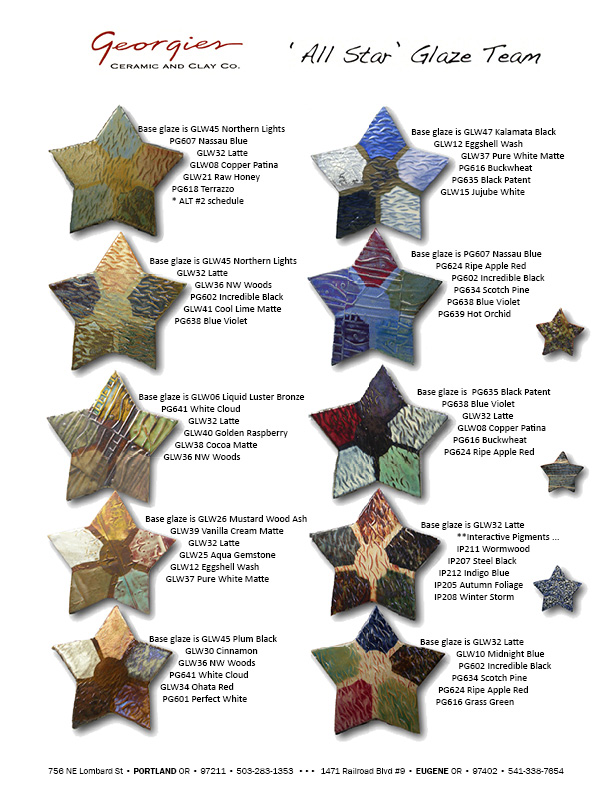
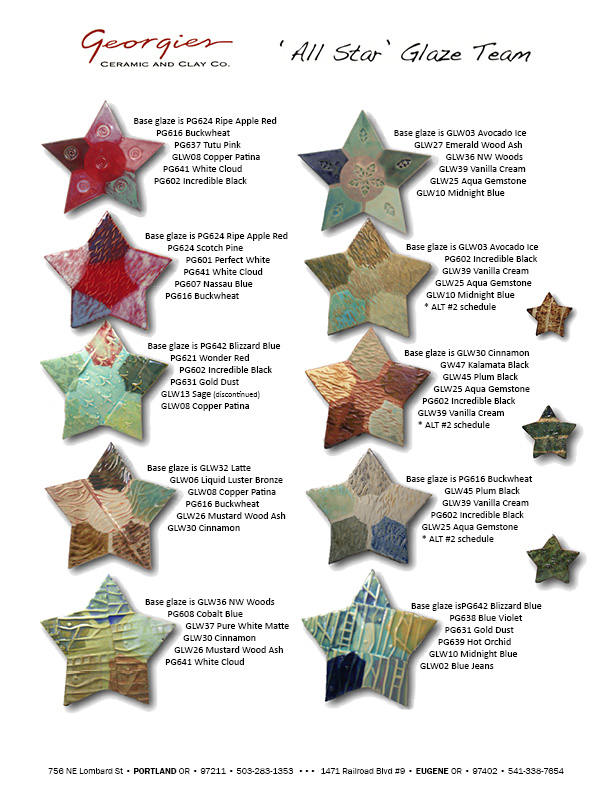
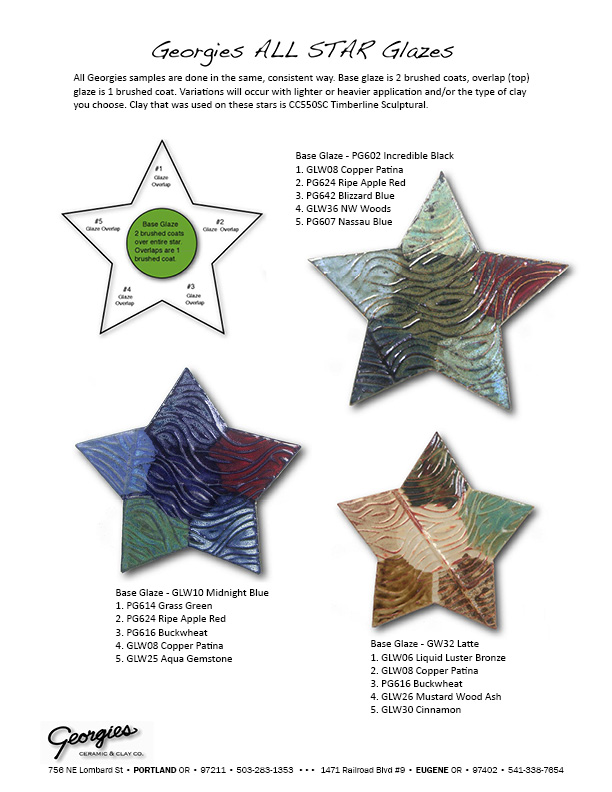
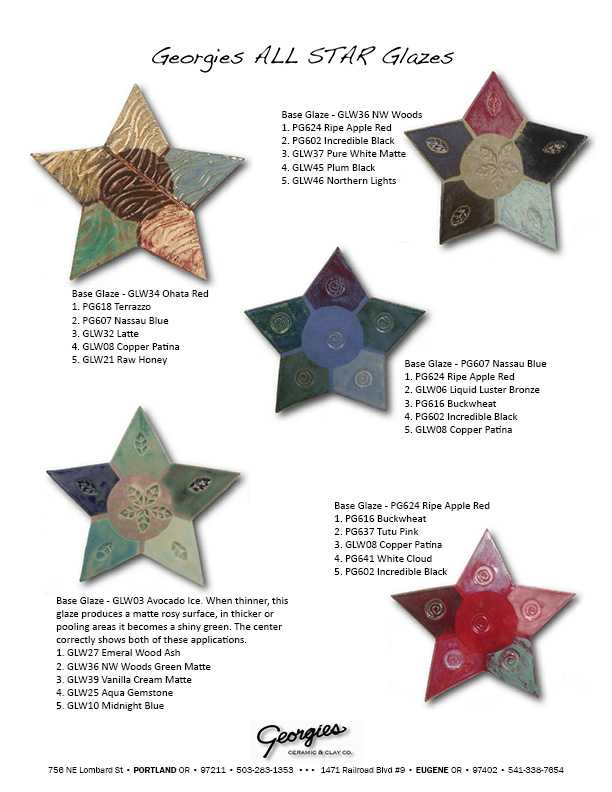
More fun with glaze combinations, and presented in a new format! The center pentagon of each star shows the featured glaze by itself. Each point of the star shows the center glaze combined with another glaze. The star points are textured, so you can see how the combination works with the surface of the clay.
Enhancing Your Ceramic Surface
Our clays and glazes are forever changed in the heat work of the kiln. We all know that, whether we work with fossil fuels in reduction or with electric kilns in oxidation. We also know that the outcomes of our firings vary... a LOT... with subtle variations we might not even notice at first. So what happens when we deliberately change up the times and temperatures of our firings? You guessed it: A LOT! Click any of these thumbnails to download a 4-page "paper workshop" on techniques you can try in your kilns!
GLAZE STARS, that is! We've come up with a great new way to show just what you can do with our most popular glazes for Combo Mambo layering! Each star focuses on one central glaze, then shows a series of combinations with different glazes around the five points. Remember that the order of application for the glazes. The results will be different for Copper Patina over Incredible Black compared to Incredible Black over Copper Patina. They could both be great additions to your color palette! Click on either page to print a 2-page pdf.
Dance with Color and Design: Combo Mambos We learn in our classes too! Christy just completed her always-popular class in exploring cone 6 glazes. She puts a lot of work into the class, and every year it just gets better. Our students got stunning results in exploring their own "Combo Mambo" dances of fire with our glazes. We'd like to share those results with you too. Click on any of these thumbnails to download the 4-page flyer.
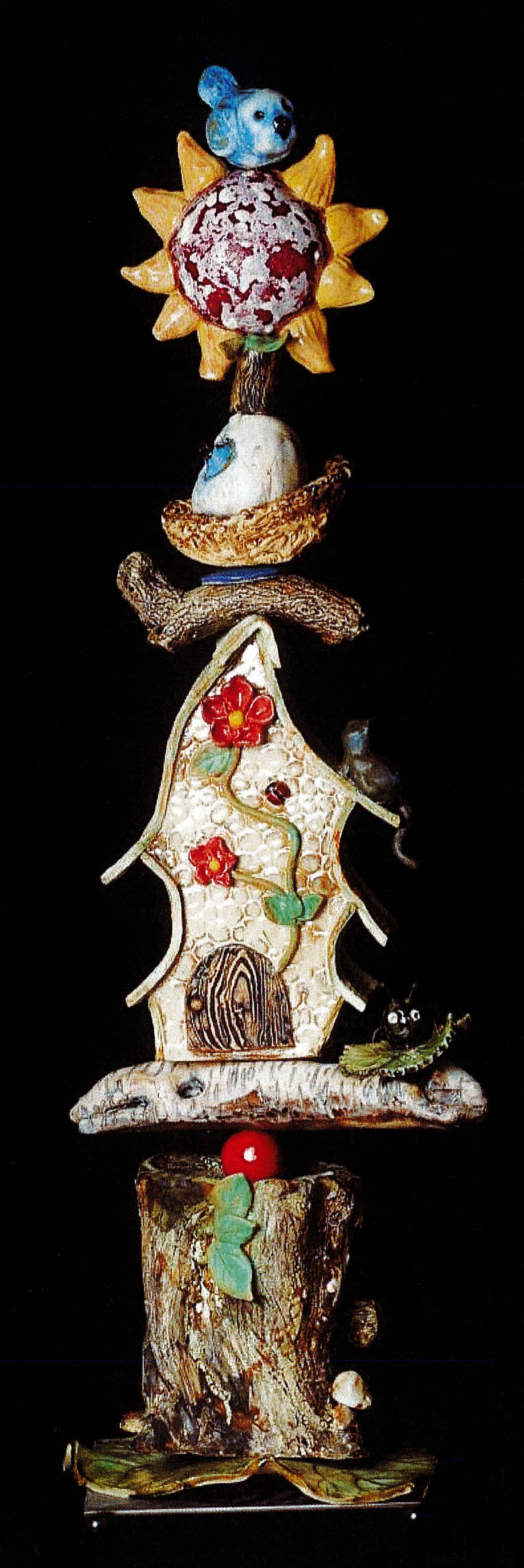
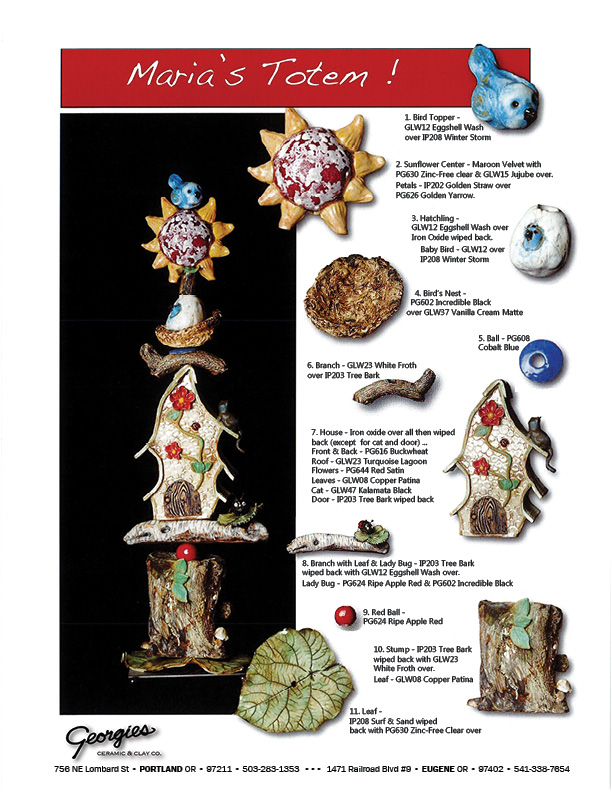
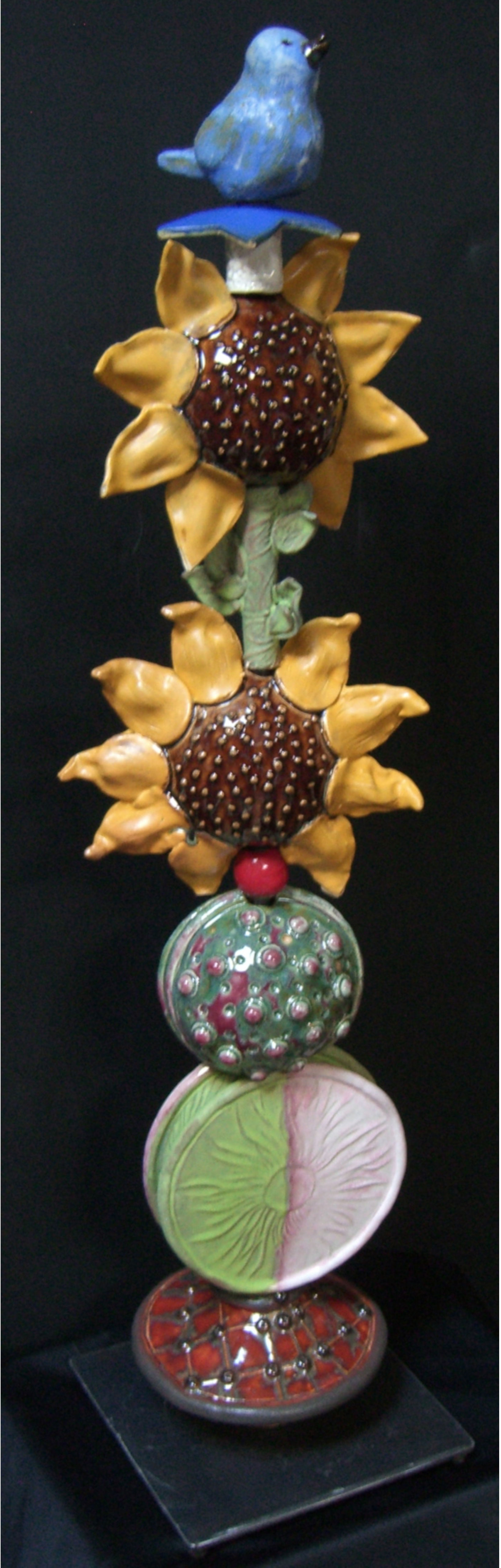
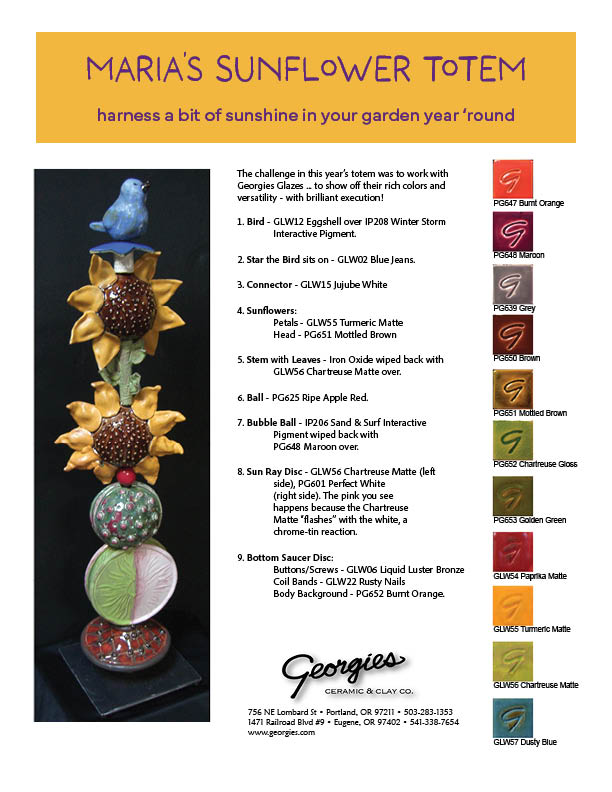
Interactive Pigments: Totems, Techniques & Tiles
Glazes + Interactive Pigments = New Dimensions
Georgies Glazes on Dark Chocolate Christy has taken all of our Georgie Glazes and made samples on our Trail Mix Dark Choclate clay body. The results are visually and texturally gorgeous! The intense color of this clay body may alter/react with your glazes in unexpected ways. You may need to increase your coverage, or you may find that semi-trasparent glaze colors disappear. Some glazes do not like dark chocolate. Always test both your application and your glaze.
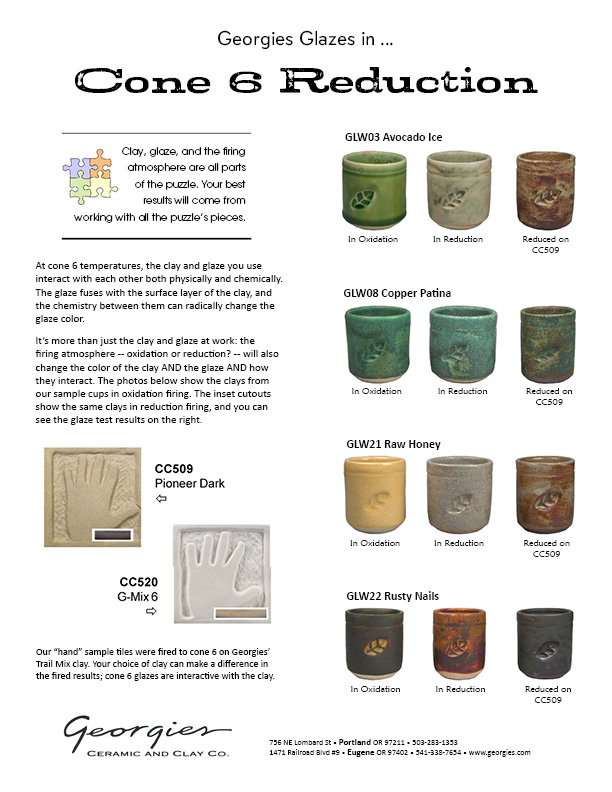
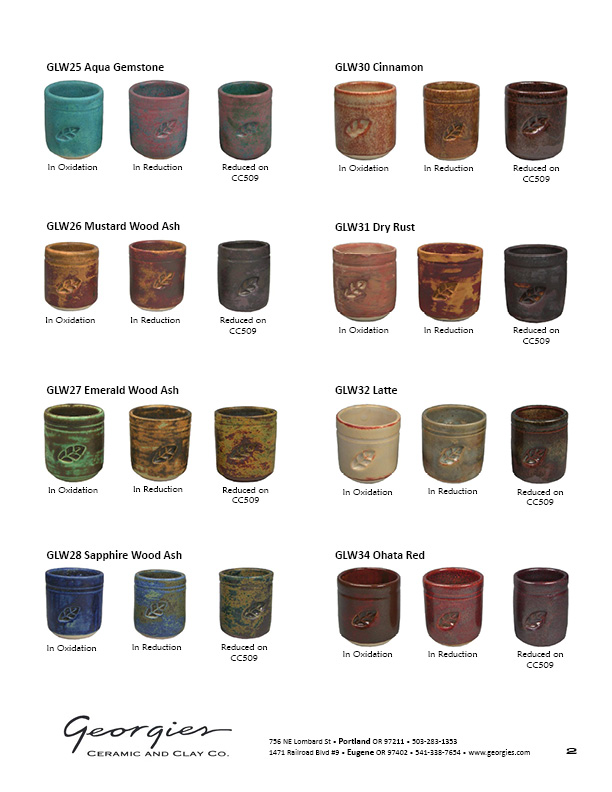
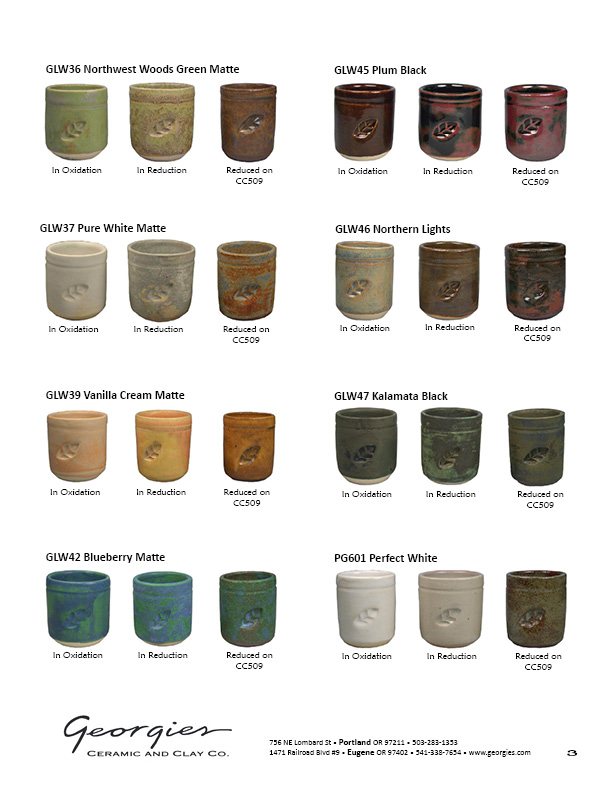
Georgies Glazes in Cone 6 Reduction We recently had an opportunity to get many of our cone 6 glazes fired in a reduction atmosphere. At cone 6 temperatures, the glaze fuses with and becomes part of the clay. The interactive chemistry between the clay and the glaze can radically change the color of the glaze. The firing atmosphere makes a difference too, and can change the color of the glaze AND the clay AND how they interact. Click on any image for the 3 page PDF.
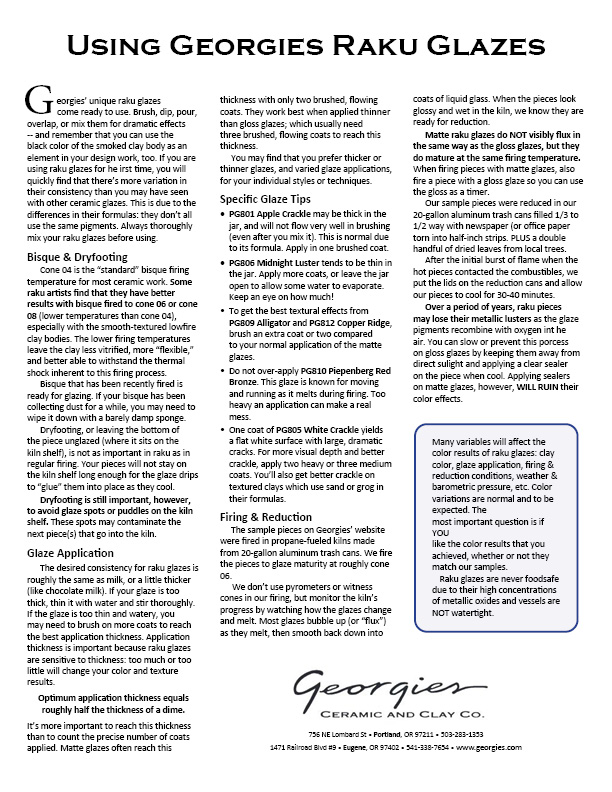
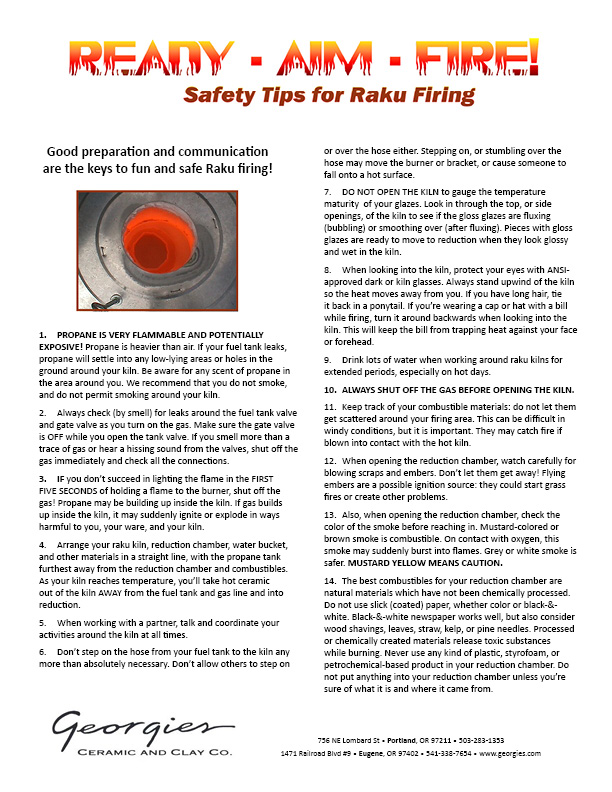
Raku Tips, Techniques & Safety "Four elements enter into the making of Raku: the clay, the glaze, the fire, and the artist. The Japanese word "raku" doesn't translate well into English. The closest translations we've seen are "enjoyment" or "happiness in the hazard", with strong overtones of serendipitous discovery. As artists we never know what will come out of the raku kilns and reduction chambers until we see the actual final results. Some of our pieces will break, while others will be spectacular. Here at Georgie's we've often compared raku to chess: we can teach you the moves in an afternoon, but you can spend a lifetime mastering the technique. These sheets offer decorating techniques, glaze tips, and safety notes to help you along the way toward your own personalized mastery of this unique craft.
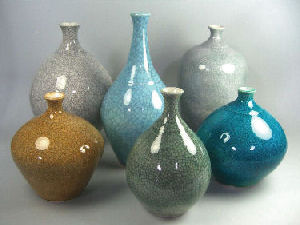
Georgies' new cone 6 Crackle Glazes are semi-transparent, designed to let the color of your clay body shine through. These glazes are especially effective on light-colored or white clay bodies like cone 6 porcelains. Now you can add a new layer of depth and detail by highlighting the crackle patterns with India Ink! Not sure how? Click on the tech sheet thumbnail on the right for more details. It gets messy, but the results are worth it!
The quirks of glaze chemistry make working with color in ceramics different from any other artform. It's not just about the pigments that reflect the light to make the color! You also have to account for the interactions of the glaze ingredients, where sometimes black + white does not equal gray. We worked with various combinations of our black and white glazes to see what would happen. We got grey, green, brown and even blue! See for yourself by clicking on our tech sheet thumbnail on the right. (PDF file size = 2.62 mB)
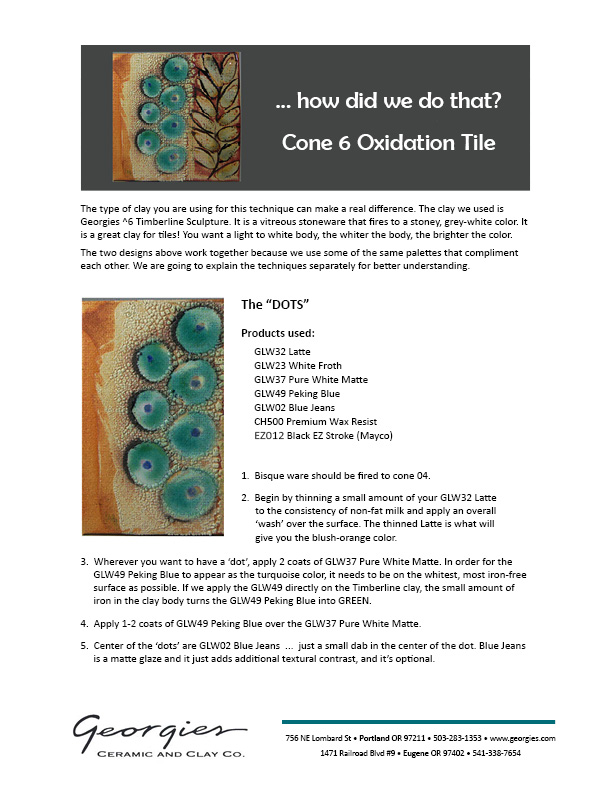
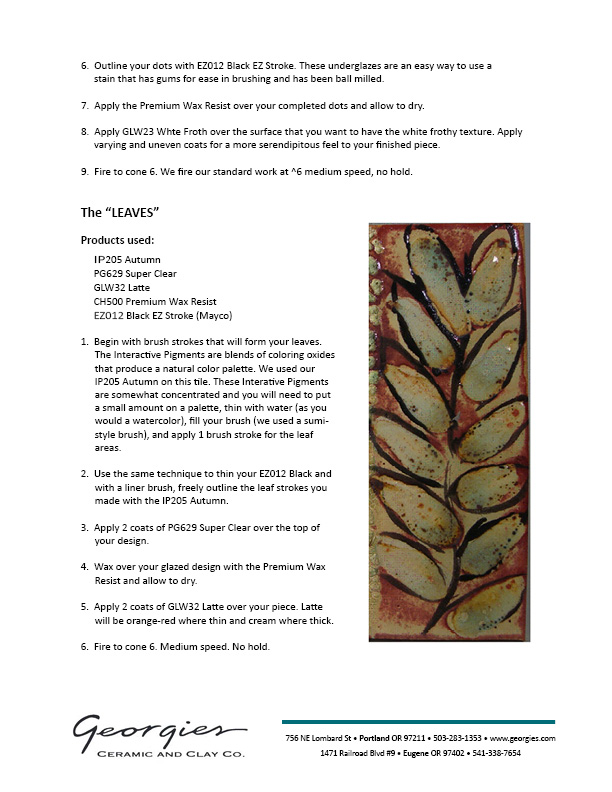
White Froth Tile at Cone 6 Oxidation This is one of our favorite "combination" projects using cone 6 and cone 06 products together on a cone 6 clay. It has a high "wow!" factor when we display the tile in our classes or in store, and we'd like to share... how we did that! Click either thumbnail image to download the 2-page technique sheet.
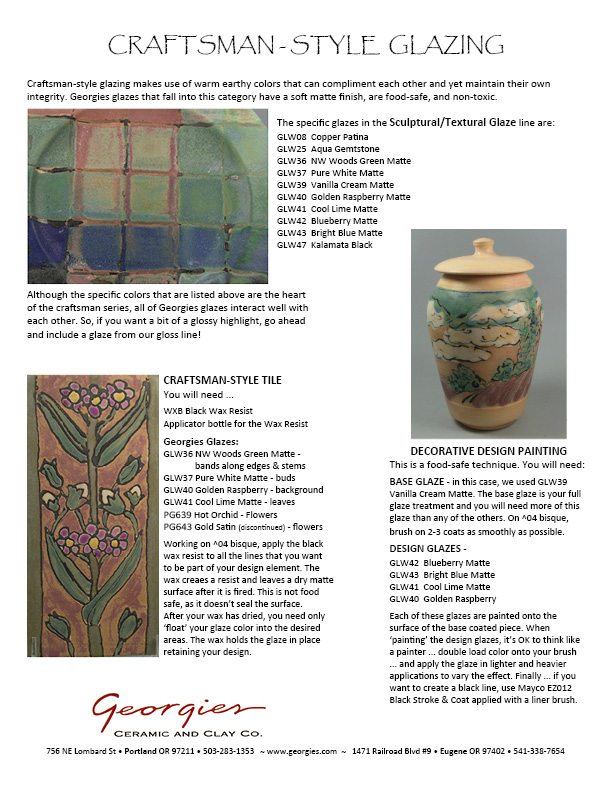
Remember the Craftsman movement? In the late 1800s and early 1900s, skilled artisans working in this style used designs inspired by the earth and nature, embodied in warm hues, to evoke the satisfaction of a simple but refined look and feel. Georgies' glazes in the Sculptural/Textural line (GLW35 to GLW47) give you the palette to recreate the Craftsman style in your own work. Click on the tech sheet thumbnail at right to find out how. (PDF file size = 991k)
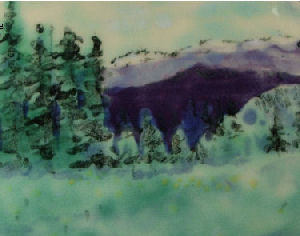
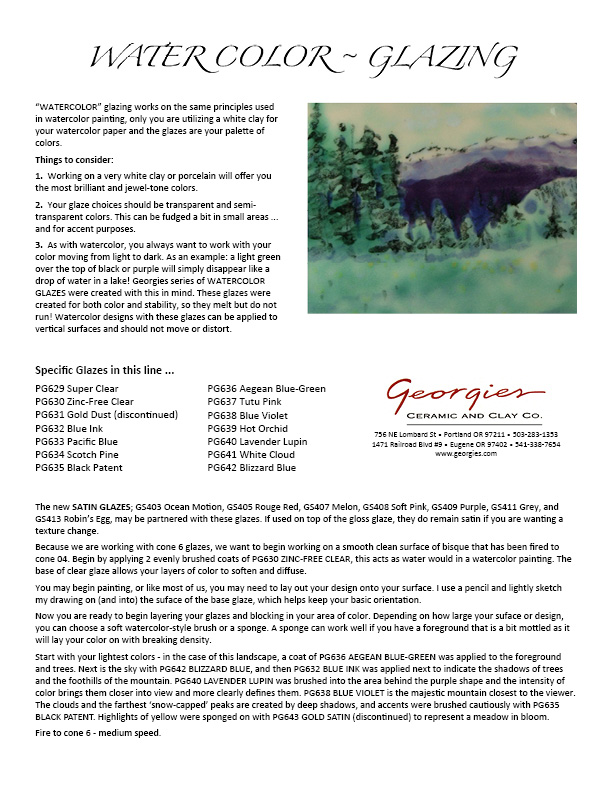
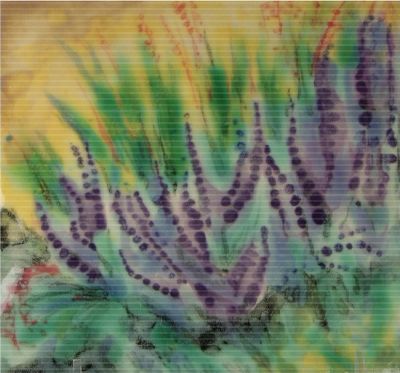
Watercolor Glazing at Cone 6: Landscapes This has been one of our most popular technique sheets! Watercolor glazing works on the same principles as watercolor painting: you build up layers of translucent color to create the images and subtle shadings that you want. Instead of using white paper, you're using white clay and a palette of translucent glazes. Think like a painter.... and click on the technique sheet thumbnail on the right for tips and techniques to make your thoughts real. (PDF file size = 2.7 mB)
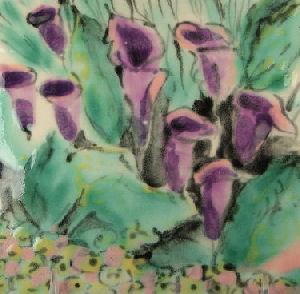
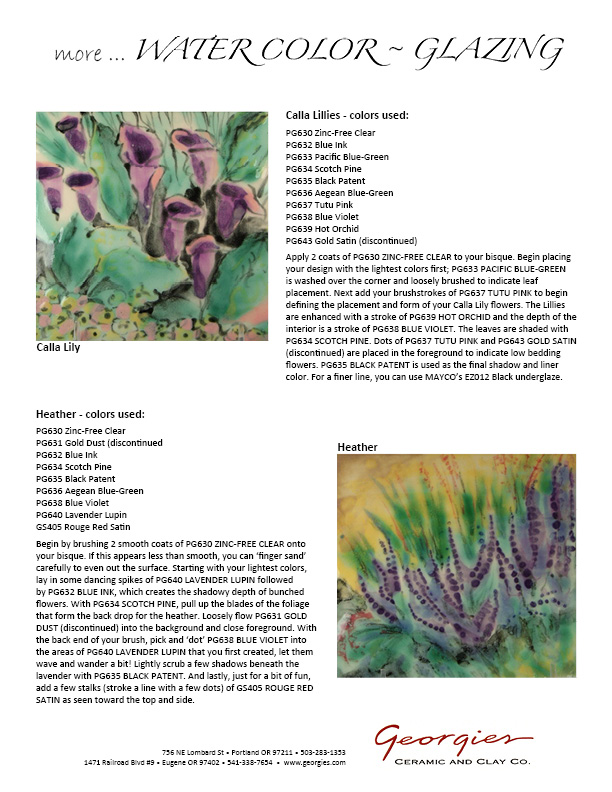
Watercolor Glazing: Calla Lilies More watercolor glazing, except this time we're going with a floral design. This single-page technique sheet will help you see more of the possibilities for cone 6 watercolor designs. Both Calla Lilly and Heather are on the same printout, so click on either technique sheet to print a copy.
This just may be the most stunning of our studies in watercolor glazing. Not only does it show the possibilities in floral designs for this style, but right down to the fine details! It's combined on the technique sheet with the Calla Llilies, but we thought the Heather really deserved its own chance to be seen. Click the technique sheet below to print a copy.
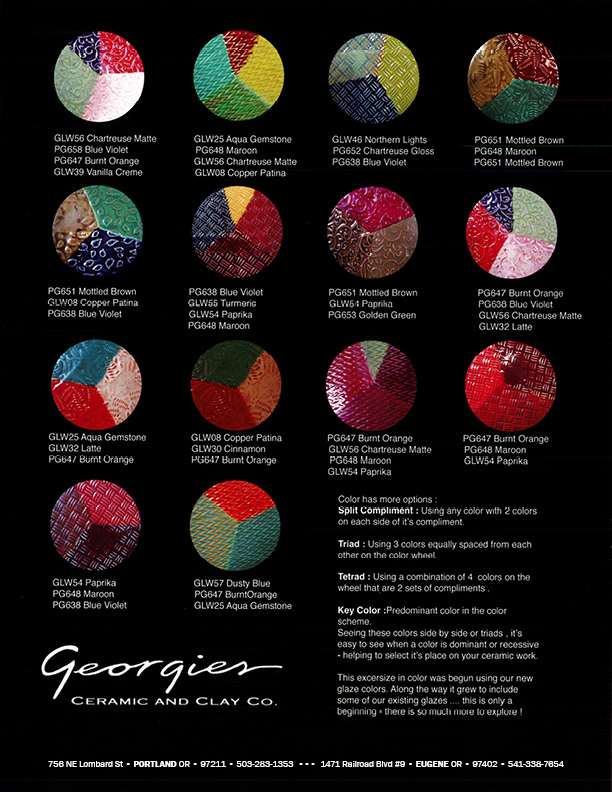
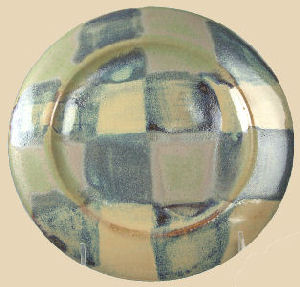
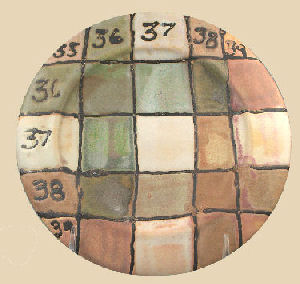
Below is a four-page document. Click (then print or save) each of these four images to get the full document. (And check out the Crossover Plates technique sheet for a great way to test potential glaze combinations!)
Ever wondered just why some colors seem to work together and some don't? This flyer illustrates some of the basic principles of color theory as used in other visual arts ranging from painting to photography to clothing and interior design. Working with these principles can enhance your work as you choose (or broaden) consistent color schemes. Click the thumbnail at right to begin exploring this fascinating, rich new realm of ideas. (PDF file size = 1.02 mB)
So you've been exploring the color wheel, but what's next? How about gloss and matte glazes, in complimentary or contrasting colors, side-by-side in your design work? The visual contrast between the different glaze surfaces lends a whole new dimension of depth and interest to your clay work. The plates on this flyer show some of the effects you can achieve by using Georgies' gloss and matte glazes together on one piece. And the plates show even more interesting possibilities for glaze combinations, too! Click the image at right for a pdf to print of this eye-candy feast of inspiration.
So many glaze combinations, so many choices, so little time... which ones catch your eye? Here's a great way to test our most interesting glazes and combinations for your clay body and application style by applying lines (horizontal) and columns (vertical) of our glazes and firing them together to see what happens. For the example on the left, we thought the combo of GLW36 and GLW37 might be the best one, but which would you choose? Click on the tech sheet image at right to print a pdf on this great testing technique.
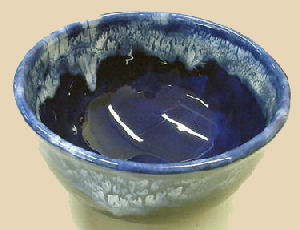
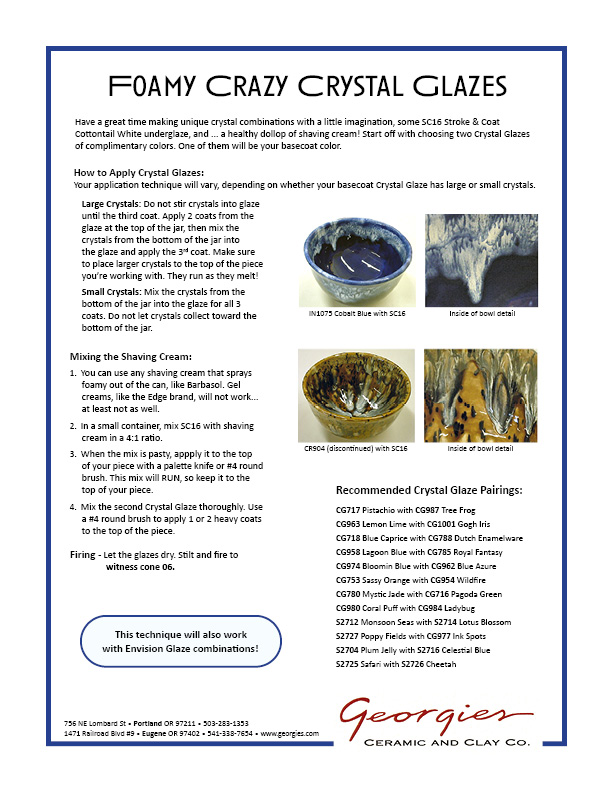
Mayco's lowfire Crystal Glazes (for cone 06 firing) along with Stroke & Coat Cottontail,
By combining the glazes you can reach whole new vistas of color performance! The combinations are reliable and repeatable too, just like our solid color glazes. Due to melt, texture, surface and firing variations from piece to piece, you'll see subtle differences so this new palette never gets boring -- though you're sure to find your own favorites among the possible combinations! You may never see ALL that these colors can produce together.(PDF file size = 1.5 mB) -- Although these are listed as "kits" - we no longer carry these as kits. You can purchase the colors individually to create the effects that you are most interested in.
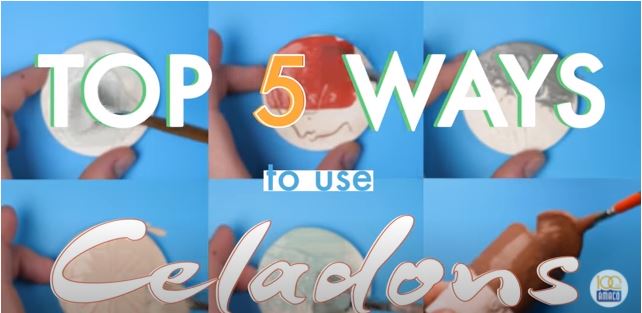
Mayco Technique Videos & PDF ...
| |||||||||||||||||||||||||||||||||||||||||||||||||||||||||||||||||||||||||||||||||||||||||||||||||||||||||||||||||||||||||||||||||||||||||||||||||||||||||||||||||||||||||
All contents related to Georgies' products copyright 2026. All rights reserved. |
||||||||||||||||||||||||||||||||||||||||||||||||||||||||||||||||||||||||||||||||||||||||||||||||||||||||||||||||||||||||||||||||||||||||||||||||||||||||||||||||||||||||||